
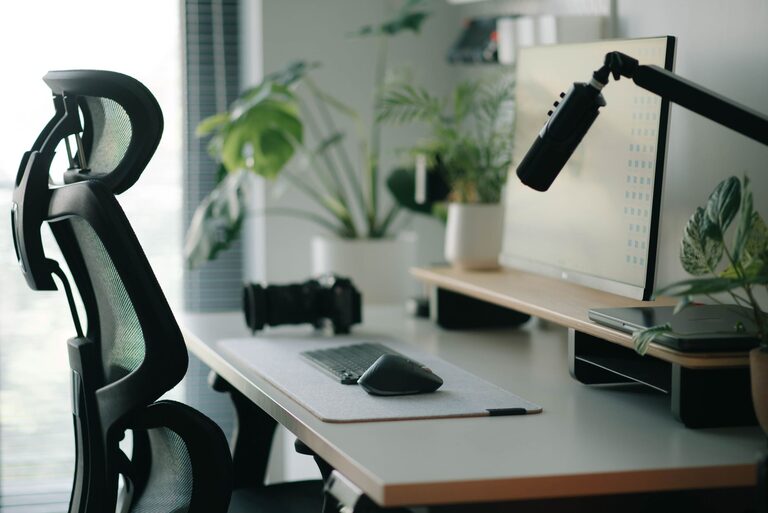
Creating a desk setup that promotes both focus and comfort is essential for a productive workday, whether you’re working from home or in an office. An organized, well-designed workspace can reduce distractions, prevent discomfort, and help you stay engaged with your tasks. In this guide, we’ll explore practical tips to optimize your desk setup for maximum efficiency and wellbeing.
Why a Good Desk Setup Matters
The way you arrange your desk impacts your posture, concentration, and energy levels. Poor ergonomics can lead to aches and fatigue, while a cluttered environment can cause stress and distraction. By investing a little time in setting up your desk thoughtfully, you can create a space that supports your physical health and mental clarity.
1. Choose the Right Desk and Chair
Desk Height and Size
Your desk should be at a height where your forearms are parallel to the floor when typing or writing. Standard desk height is around 28 to 30 inches, but this can vary depending on your body size. If possible, opt for an adjustable desk or one that fits your height to reduce strain.
Make sure your desk surface is large enough to accommodate your essentials—computer, notebook, and any tools you frequently use—without feeling cramped. Allow for some extra space to avoid clutter buildup.
Ergonomic Chair
A comfortable chair that supports your lower back is important. Look for one with adjustable height, lumbar support, and armrests. This helps maintain good posture, reducing the risk of back and neck pain during long work sessions.
2. Position Your Monitor Properly
Placing your monitor correctly minimizes eye strain and encourages good posture.
– Height: The top of the screen should be at or slightly below your eye level.
– Distance: Position the monitor about an arm’s length away.
– Angle: Tilt the screen slightly back (10 to 20 degrees) for comfortable viewing.
If you use a laptop as your main device, consider using a laptop stand along with an external keyboard and mouse. This setup helps position the screen properly while keeping your wrists neutral.
3. Organize Your Desk for Easy Access
A cluttered desk can distract you from focusing. Here are some tips for staying organized:
– Keep frequently used items close: Pens, notebooks, and other daily essentials should be within easy reach.
– Use storage solutions: Drawer organizers, desk trays, or small containers keep things tidy.
– Limit decorative items: While personal touches can boost mood, too many items may create visual clutter.
– Cable management: Use clips or sleeves to keep cables neat and prevent tangling.
4. Lighting Matters
Good lighting reduces eye fatigue and improves focus.
– Natural light: If possible, place your desk near a window to take advantage of daylight.
– Task lighting: Use a desk lamp with adjustable brightness so you can control light levels.
– Avoid glare: Position your screen to avoid reflections from windows or overhead lights.
5. Incorporate Comfort Accessories
Small additions can enhance comfort and reduce fatigue:
– Keyboard and mouse: Choose ergonomic designs that fit your hand size and reduce strain.
– Wrist rests: These support your wrists while typing or using a mouse.
– Footrest: If your feet don’t rest flat on the floor, a footrest can help improve posture.
– Sit-stand options: Adjustable desks or sit-stand converters let you change positions throughout the day, promoting circulation and reducing stiffness.
6. Add Elements to Boost Focus
Creating an environment that encourages concentration helps maintain productivity:
– Noise control: Use noise-cancelling headphones or white noise machines if background noise is distracting.
– Plants: A small plant can improve air quality and create a calming atmosphere.
– Personal but minimal: Motivational quotes or photos can inspire you, but keep them limited to avoid distraction.
– Timer or Pomodoro Technique tools: Use timers to manage work sessions and breaks effectively.
7. Keep Movement in Mind
Even the best desk setup should encourage regular movement:
– Take short breaks every hour to stretch or walk around.
– Adjust your sitting position frequently.
– Use reminders or apps to prompt you to stand or move.
Final Thoughts
Designing a desk setup that balances focus and comfort doesn’t require expensive furniture or gadgets. Simple adjustments in ergonomics, organization, lighting, and personal touches can make a significant difference. By creating a workspace tailored to your needs, you’ll enhance your well-being and productivity, making work feel less like a chore and more like an enjoyable part of your day.
—
Try implementing these tips one step at a time and observe how your comfort and concentration improve. A well-planned desk setup is an investment in both your health and your workflow!